Lookalike Domains Impersonating Your Brand — Catching Them Before Your Customers Get Phished
Typosquatting and homoglyph domains phish your customers without touching your network, so SIEM and WAF never see them. What DRP in CTEM catches, and cannot.
Lookalike Domains Impersonating Your Brand — Catching Them Before Your Customers Get Phished
Monday morning, the call center forwards a complaint. A customer has already transferred the money. They tapped a link in a message that read "Your account has been temporarily suspended — please verify your identity," and the page they landed on had your logo, your colors, your font, your buttons in the same places. The only thing that was different was the URL, which had one extra hyphen in it.
You check the SIEM. Silent. You pull the WAF logs. Not one unusual request came in.
Which makes sense — that site never touched your infrastructure. It runs on someone else's server, under someone else's registration, and it took money from your customer without breaching a single thing you own.
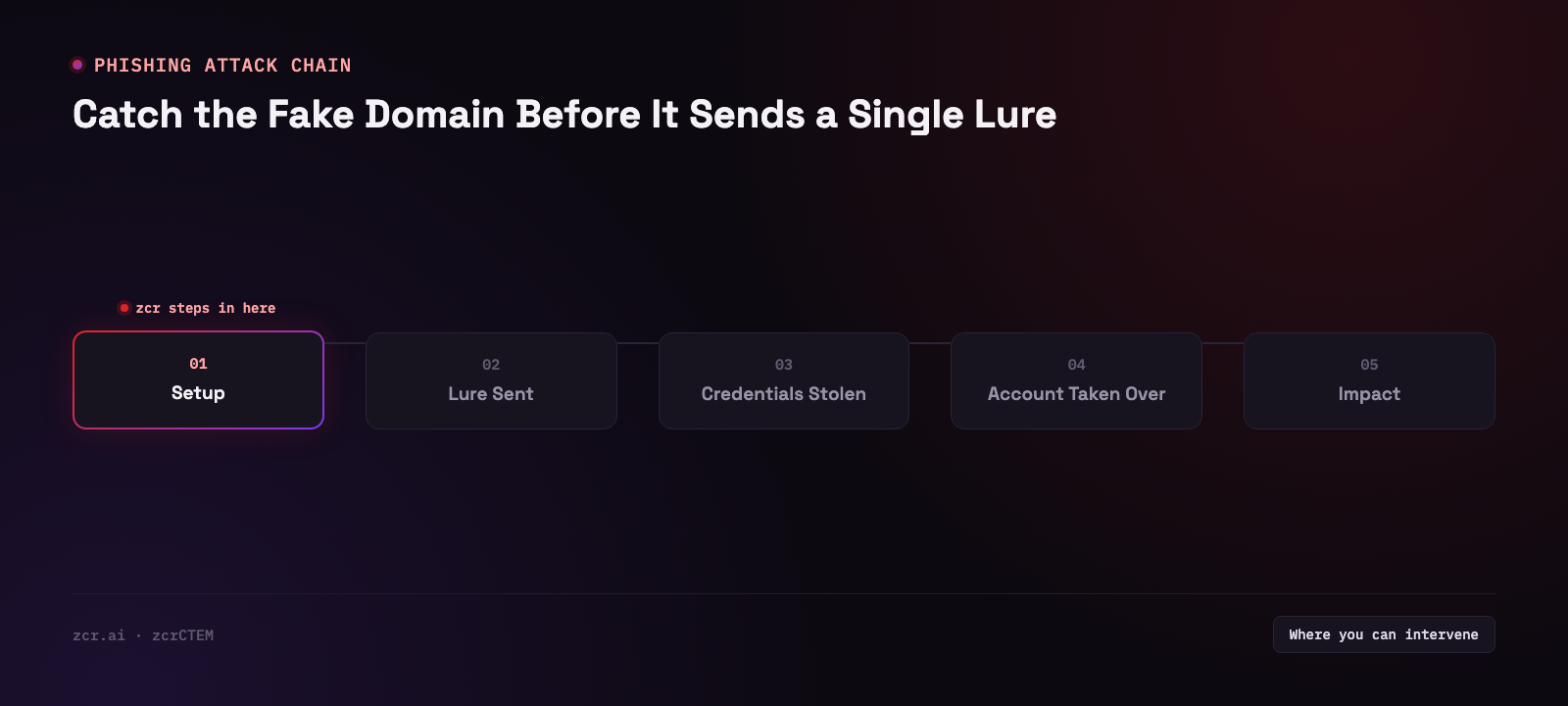
Standing up a convincing fake costs almost nothing
The economics run entirely in the attacker's favor. A new domain costs a few hundred baht. A TLS certificate is free from Let's Encrypt and issues in minutes. That means the fake site gets the same padlock in the address bar as the real one — and "check for the padlock before you type anything in" is advice that has been repeated to consumers for well over a decade. It expired years ago and nobody sent out the memo.
Here are the patterns that actually show up, assuming the real domain is zcr.ai:
| Technique | What it looks like | Why it works |
|---|
| Typosquatting | zrc.ai | The eye skims. Letter order isn't something people verify character by character. |
| Homoglyph | zcr.ai where the c is Cyrillic с rather than Latin | On a phone screen they are genuinely indistinguishable, even if you stare. |
| Alternate TLD | zcr.top, zcr-ai.shop, zcr.online | The brand name is spelled perfectly, so it reads as legitimate. |
| Trust words bolted on | zcr-secure-login.com, verify-zcr.net | "Secure" and "verify" make a domain feel more official, not less. |
| Subdomain deception | zcr.ai.account-check.xyz | People read left to right, see the brand, and stop reading. |
Not one of these requires any hacking ability. Buy a domain, clone a page, blast the link out over SMS or LINE. That's the whole operation.
Why you almost always hear about it after your customers do
Because the security tools most organizations own were built to watch things you own.
The SIEM collects logs from your systems. EDR watches your employees' endpoints. The WAF filters traffic arriving at your real site. All three are working exactly as designed. None of them can look outside the perimeter — and a lookalike domain has been outside the perimeter since the moment it was registered.
So the only channel the news travels down is a customer complaint, which means at least one person has already lost money. That's why Digital Risk Protection sits in a different layer from the perimeter tools: it watches what happens outside, in your name. It belongs alongside watching for leaked data on the dark web and seeing your internet-facing attack surface — all part of what CTEM is there to cover.
One fake domain is rarely just one fake domain
The mistake most teams make is treating each lookalike as a standalone incident: find it, file a takedown, close the ticket.
In practice a single domain is usually one piece of something much larger. Groups running phishing as a business register domains in batches, configure MX records so they can send mail, deploy the same phishing kit over and over, and rotate through the inventory. Take one down and another is live within hours.
The gap between "we found a fake domain" and "we know who owns it and how many more they have" is the difference between swatting mosquitoes and knowing where the standing water is.
What the DRP page in zcrCTEM actually shows
The Digital Risk Protection page in zcrCTEM has a panel called Actor watchlist, subtitled "Alias, threat posture, targeting, and campaign intelligence for monitored adversaries", under a card labeled "Monitored for phishing, fraud, and campaign overlap."
Each row goes further than naming the group. It says what they do, who they do it to, and whether they're still moving. The fields on a row are:
- Actor ID and alias — how the group is tracked
- Severity and status — how serious the group is rated, and whether it is active or only being monitored
- A category tag — financially motivated, espionage, hacktivism and the like
- TTPs — the techniques the group uses, phishing kit deployment and spear-phishing among them where they apply
- Targets and origin — which sectors it goes after and where it is believed to operate from
- Campaign and IOC counts, and a last-seen date — how much activity and how many indicators are attached to the group, where they're recorded
The value of having campaign and IOC counts attached to a name is what it does to your next question. If the domain you're holding this morning turns up in that group's indicators, you stop asking "how do I get this one taken down" and start asking what else is sitting in that group's campaigns — which is a far better use of the afternoon.
Read the TTPs field before assuming a group is relevant to fake domains. A group can be on the list because its interest is domestic even though phishing isn't among its TTPs, and what a row like that tells you isn't about fake domains at all; it's broader. A watchlist that's any use to a Thai organization has to include groups whose interest is domestic, rather than being a copy of whatever global APT roster was in the news that quarter.
(zcrCTEM's demo runs on sample data, not on any customer's environment, so this describes what each row carries, not who is out there.)
If you want to see how brand-abuse and actor monitoring behave in a live system, zcrCTEM brings EASM, CAASM and DRP together on one platform.
You found one — now what, and what won't happen
This part deserves straight talk, because expectations here are usually wrong.
What you can genuinely do:
- Collect the evidence properly, first. Screenshots of the fake page, WHOIS, IP, hosting provider, TLS certificate. This is the exact material a registrar or host will ask for. Without it, the process stalls at step one.
- File the takedown with the registrar, the hosting provider, and the relevant CERT.
- Warn your customers before the attacker sends the big blast. This is sometimes worth more than the takedown itself, because you can do it within the hour.
- Feed the IOCs into your own detection. If you already have automated response in place, this plugs straight into a phishing response playbook.
What you have to accept it won't do:
- Detection does not make the domain disappear. Any DRP platform, zcrCTEM included, can detect the domain and package the evidence for submission. Actually pulling the site down depends on a registrar or hosting provider cooperating — some respond quickly, some sit in jurisdictions where a request goes nowhere.
- Kill one and another appears. Domains cost a few hundred baht. You are not winning a war; you are shortening the lifespan of each fake link, which shortens the list of people who lose money to it.
- You cannot stop customers from clicking. That is a communications and education problem, and no tool solves it on your behalf.
Signs this is your problem, not a hypothetical one
- Your brand touches money, payments, or offers customers a login
- You routinely message customers over SMS or LINE, which gives an attacker a format to imitate
- You can't say how many domains currently exist using something close to your brand name
- A customer has asked "is this site actually yours?" and you had to go and check before answering
- Someone has reported a fake site to you, but there's no standing process for who receives it, how evidence gets captured, or where it gets sent
Two or more of those and you're relying on luck rather than a process.
What your existing tools can and can't see
| Tool | Sees the fake domain? | Why |
|---|
| SIEM | No | Reads logs from your systems only. The traffic never came near you. |
| WAF | No | Filters what arrives at your real site, not a site that copied its appearance. |
| EDR | Partially | Catches it when your own staff click the link, not when customers do. |
| Email gateway | Partially | Filters inbound corporate mail, but most phishing in Thailand arrives by SMS or LINE. |
| DRP (within CTEM) | Yes | Looks in from outside the org — brand abuse, malicious URLs, and what the adversaries on the watchlist are doing. |
None of them is wrong. They're just all facing different directions — and if you want a sense of what adding the outward-facing leg costs, the plans page has the numbers.
How zcrCTEM handles this
zcrCTEM puts the outside-in view in one platform: EASM for internet-facing assets, CAASM for internal ones, and DRP covering brand abuse, leaked-data signals, dark web exposure and takedown work. The Actor watchlist panel above is the campaign-intelligence layer on top of that — which groups are moving, and how many campaigns and indicators are attached to each.
One thing worth knowing here is a public mechanism rather than anyone's feature: certificate transparency logs are open records that every CA has to publish its issued certificates into. A lookalike domain that gets a TLS certificate leaves a trace there before the first link ever reaches one of your customers. Anyone can search them, and it's a reasonable place to start if you'd rather do some of this by hand before buying anything.
You don't have to switch everything on at once. Starting with DRP is reasonable, and the argument for it is practical rather than promotional — DRP doesn't require a finished asset inventory to be useful, whereas EASM gets more valuable the better you already know what you own.
Get in touch
Want to know which domains are currently using something close to your brand name? Talk to our team — the consultation is free.
Sources
- Let's Encrypt — Frequently Asked Questions — confirms Let's Encrypt issues TLS certificates at no cost, through a fully automated domain-validation process
- Certificate Transparency — How CT Works — explains that major browsers (Chrome, Safari) require a Signed Certificate Timestamp from a CT log before trusting a certificate, making CT log submission a practical requirement for any publicly-trusted certificate