How to Build a Phishing Response Playbook Your Team Doesn't Have to Run by Hand
Every reported phishing email triggers the same manual steps. A SOAR playbook writes them down once as a versioned, repeatable response your team can trust.
How to Build a Phishing Response Playbook Your Team Doesn't Have to Run by Hand
Every time a phishing email gets reported, an analyst runs through the same steps — open the email, check whether the link is actually malicious, notify the person who received it, then remove the same email from anyone else's inbox who might have gotten it too. Doing this by hand every time isn't just slow — it's easy to miss a step when several cases land at once. A playbook writes those steps down once, as a version-controlled automation, and runs it as many times as needed.
This piece walks through a phishing playbook's lifecycle to show what that actually looks like in practice, not just in theory.
What a playbook actually is
A playbook in SOAR isn't just a generic automation script — it's automation governed by versioning, approval, and dry-run testing before going live. Unlike a script you write and run straight away, a playbook goes through a review process before it's turned on against real cases. (New to what SOAR is overall? See What Is SOAR? for the full picture.)
The lifecycle a playbook goes through before it can go live
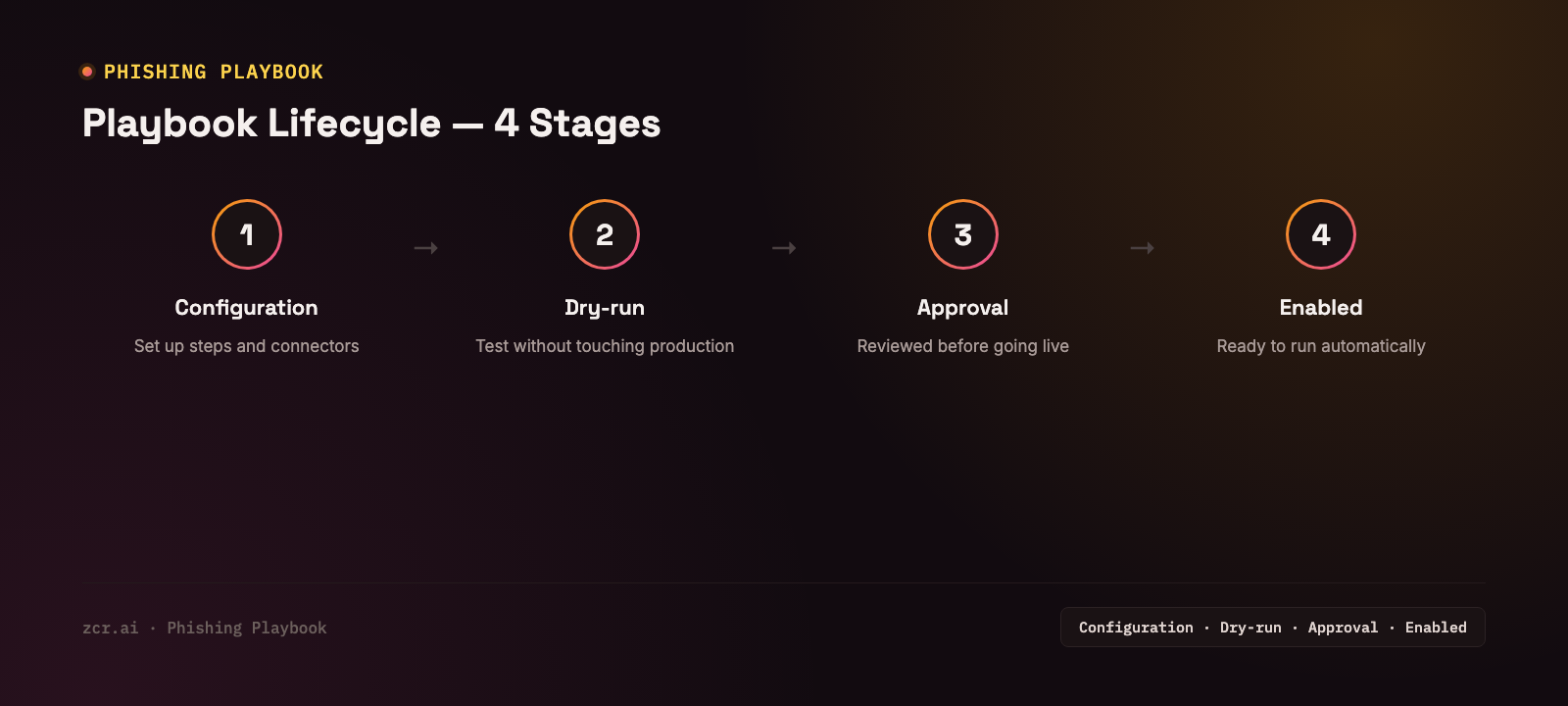
Every playbook has to clear these 4 stages, in order, before it can run against a real case:
1) Configuration — set up the steps and connect the systems involved (like the email gateway for a phishing playbook). Each connected system is called a "connector."
2) Dry-run — test-run the playbook without touching production, confirming the steps work as intended before letting it act automatically for real.
3) Approval — someone with the right authority reviews and approves the playbook before it goes live, especially for playbooks with steps that touch real systems, like deleting emails or isolating a host.
4) Enabled — the playbook is ready to run automatically whenever a matching case comes in, and can still be edited or exported/imported for ongoing version control.
The point of this lifecycle is to keep untested automation from touching production systems without anyone noticing.
What the Playbook Library shows
In the zcrSOAR demo, opening a phishing triage playbook from the Playbook Library — one that triages a reported phishing email, defangs links and notifies the affected user — shows where it stands through four status fields. The demo runs on sample data, so what follows is how each field reads, not what one sandbox contains:
- CONFIGURATION: configured — its required connector (the email gateway) is set up and connected
- READINESS: ready — it's passed dry-run testing and is confirmed ready to act for real
- APPROVAL: approved — someone with the right authority has signed off — not just a draft sitting untouched
- ACTIVATION: enabled — actively running, with NEXT ACTION showing "Run," ready to fire the moment a new matching case comes in
In other words, a playbook that reads this way isn't just a playbook on paper — it is set up, has an approver's sign-off on record and is switched on before it is trusted to act on a real phishing email.
Why approval still matters even with automation in place
Some playbooks include steps with a real blast radius — isolating a host, disabling an account. Letting automation decide entirely on its own is too risky if the trigger fires wrong. An approval workflow gives the team confidence that automation won't act beyond its intended scope without someone signing off first — this is exactly what separates a playbook from a plain script you write and run.
How zcrSOAR supports this
zcrSOAR supports the full playbook lifecycle — built by hand, generated with AI, or imported from elsewhere, tested via dry-run before going live, gated by role-based approval workflows, and exportable/importable for version control across a team. It connects to reading an attack flow to show what pattern of attack each running case is actually facing.
If your team is still handling phishing response entirely by hand, check the zcrSOAR pricing against your current case volume.
Get in touch
Curious how much manual work a playbook like this could take off your team's plate? Our team offers a free consultation.