How to Monitor Dark Web Data Leaks — Digital Risk Protection (DRP) Explained
Leaked employee credentials often surface on the dark web long before they're used in an attack. Here's how Digital Risk Protection catches them first.
How to Monitor Dark Web Data Leaks — Digital Risk Protection (DRP) Explained
Imagine someone cloned your ID card and sold it in a black market you'll never set foot in. You'd have no way of knowing it happened — until someone used it to commit a crime and the police showed up at your door.
Employee credentials meet the same fate. When some service an employee once signed up for (not even necessarily a company system) gets breached, those login details end up for sale on dark web marketplaces or in closed forums ordinary people can't reach. Someone then tries those same credentials against your real systems. The problem is most organizations never find out — until someone's already gotten in.
Digital Risk Protection (DRP) is watching that black market on your behalf — catching leaked credentials, fake sites impersonating your brand, and chatter from attacker groups mentioning your organization, before any of it turns into a real incident.
DRP vs. generic "dark web monitoring"
A lot of people hear "dark web monitoring" and picture a free breach-database checker. DRP covers considerably more ground, because external threats aren't limited to leaked passwords:
- Credential Exposure — employee email/password combinations leaked from some other breached service, then tried against your real systems
- Brand Impersonation — fake websites, fake pages, fake social profiles posing as your organization to deceive customers or employees
- Phishing Page Detection — pages cloning your real login screen, often spun up and torn down within days
- Threat Actor Intel — tracking whether attacker groups are discussing your organization in closed forums — an early warning sign before an actual attack
What all of these share is that they happen outside your own systems. There's no log for a SIEM to catch, no firewall alert, because nobody's even attempted to log in yet. This is the exact gap DRP exists to close.
Why this matters directly for PDPA
Under PDPA, organizations are required to report data breaches within a set timeframe — but you can only report what you know about. If customer data leaks through a channel outside your own systems (say, a third-party service an employee signed up for using a company email), you'd have no way of knowing without external monitoring like DRP. That makes DRP not a nice-to-have feature, but a real part of meeting your PDPA notification timeline.
How DRP works — 4 steps
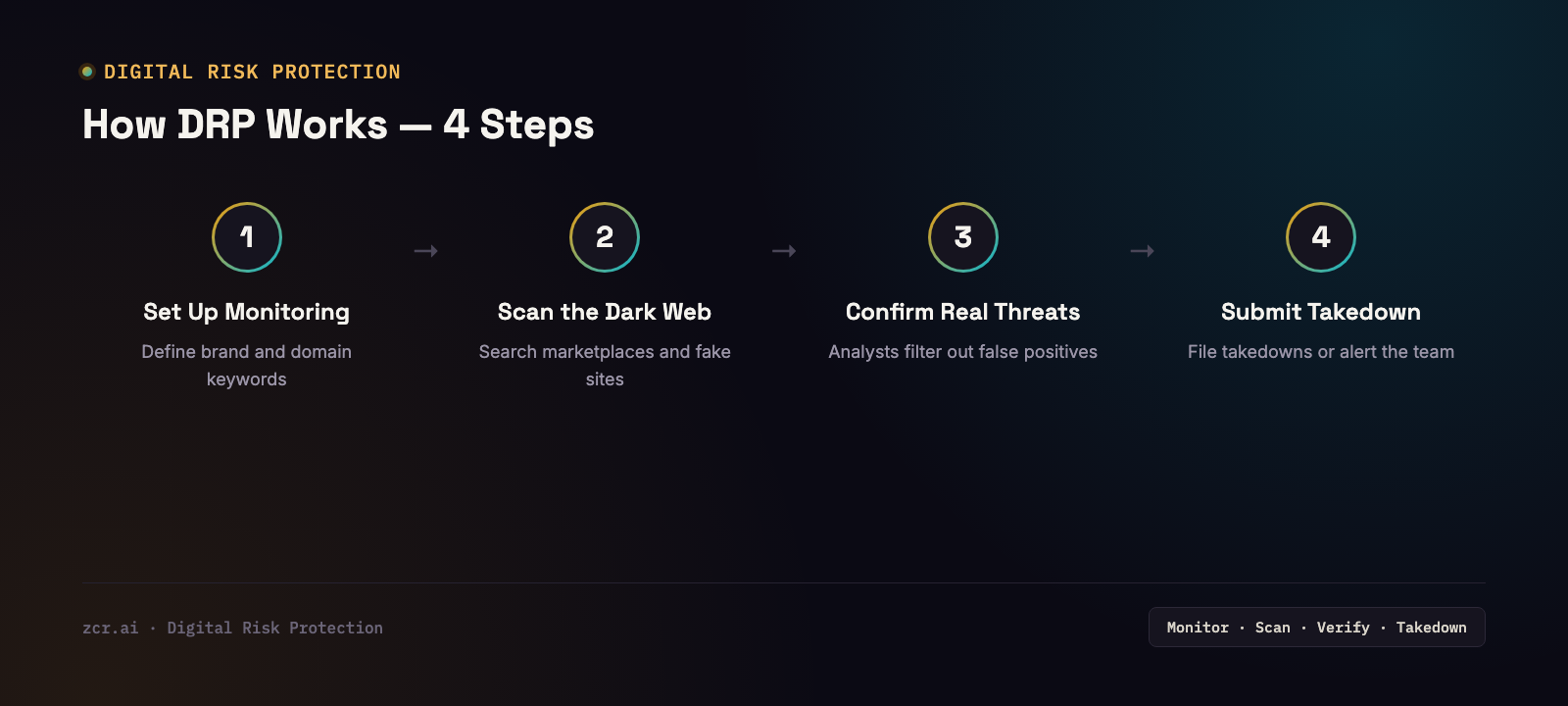
1) Set up what to monitor — define the keywords tied to the organization: brand name, domains, executive email addresses, and patterns attackers typically use when building impersonation sites.
2) Scan the dark web, leak forums, and fake sites — continuously search dark web marketplaces, closed forums where attackers trade data, and newly registered domains that could be used for phishing.
3) Analysts confirm it's a real threat — not everything the system flags is genuine; findings get triaged for false positives versus what needs an immediate response.
4) Submit a takedown or alert the team — for fake sites and pages, file a takedown request with the relevant platform or registrar; for leaked credentials, alert the team to force a password reset immediately.
What this looks like in zcrCTEM's DRP view
Here's what it looks like on the zcrCTEM demo's DRP page — open brand-impersonation incidents (mostly phishing pages) each get a clear status and action buttons (Submit Takedown / Dismiss / Escalate) so an analyst can decide immediately without switching tools, alongside separate tabs for Credential Exposure and Threat Actor Intel in the same view. That's the real difference from a free breach checker that just tells you "yes, it leaked" with no workflow for what to do next. The demo runs on sample data, so treat this as a description of the workflow, not a specific incident count.
Signs your organization needs DRP
- You have a recognizable brand and have run into impersonating sites or pages before
- There's no way to check whether employee email/password combinations have leaked from other services
- You're in an industry that holds large amounts of customer data (finance, e-commerce, healthcare) — a prime target for dark web data trading
- You've wondered whether you'd actually find out about a leak in time to meet PDPA's notification window
- You don't yet have a way to connect external leak signals back to your real attack surface to see if they're related
DRP is one of the three pillars of CTEM — see the full picture in What Is CTEM?
How zcrCTEM closes this gap
zcrCTEM bundles DRP into the same platform as EASM and compliance mapping — the moment a leak signal appears, it's connected to the actual asset it relates to, with a takedown workflow tracked through to closure instead of a one-off alert and nothing else.
If you want to know whether your organization's data has any leak signals out there, check the zcrCTEM pricing.
Get in touch
Want to know if your organization's data has surfaced on the dark web? Our team offers a free consultation.
Sources