From Alert to Evidence: An Auditable AI SOC Workflow
An AI SOC workflow is only trustworthy when another analyst can reproduce the exact reasoning behind it, from the original alert to the final action taken.
From Alert to Evidence: An Auditable AI SOC Workflow
An AI SOC workflow is trustworthy when another analyst can reproduce the reasoning from the original signal to the final action.
Capture the starting signal
Keep the original alert, timestamp, source, detection rule, and raw identifiers. Do not replace the source with an AI summary.
Link every conclusion to evidence
Each finding should point to the event, query, asset, identity, or external source that supports it. Mark assumptions separately.
Close the loop
Record the approval, response, result, and follow-up recommendation. Use the record to improve detections and playbooks rather than silently retraining a model.
What "auditable" has to mean once a model is in the workflow
NIST SP 800-53 Rev. 5 is a control catalogue published by NIST, a US federal agency. Read it as a yardstick; Thai law does not require it. Its control AU-3 asks that audit records establish what type of event occurred, when, where, from which source, with what outcome, and who or what was involved. AU-3 itself says nothing about AI.
A model adds three needs. First, store its output with the template or model version behind it, because a re-run may return different text. Second, keep that output and the human decision as separate records: a model can propose, but only a person in an authorised role can approve. Third, keep an incident trail (what was decided about one case) beside the platform's audit log, which cannot replace it. Unless it says zcr documents it, what follows is a recommended pattern.
The evidence trail, step by step
| Step | Record that must exist | Fields (each with timestamp and actor) | Why an auditor asks |
|---|
| 1. Alert received | Original alert and raw-event references, kept apart from any AI summary | input (alert, rule, event IDs), actor (source or rule) | Shows what started the work |
| 2. Case opened | Case with owner, severity and grouped alerts | output (severity, grouping) | Fixes ownership and start time |
| 3. Investigation | Each query, its question and its results (or a pinned reference), kept before remediation | input (question), query, output (result reference) | Lets a second person repeat the search |
| 4. AI output | AI summary or recommendation, verbatim, with cited events; an edit is a new version | input (context), template or model version, output, actor (agent) | A re-run may differ; the copy proves what the analyst saw |
| 5. Human decision | Approve, reject or modify, with reason, tied to that proposal | human decision, actor (person and role), reference to step 4 | Shows accountability and authority |
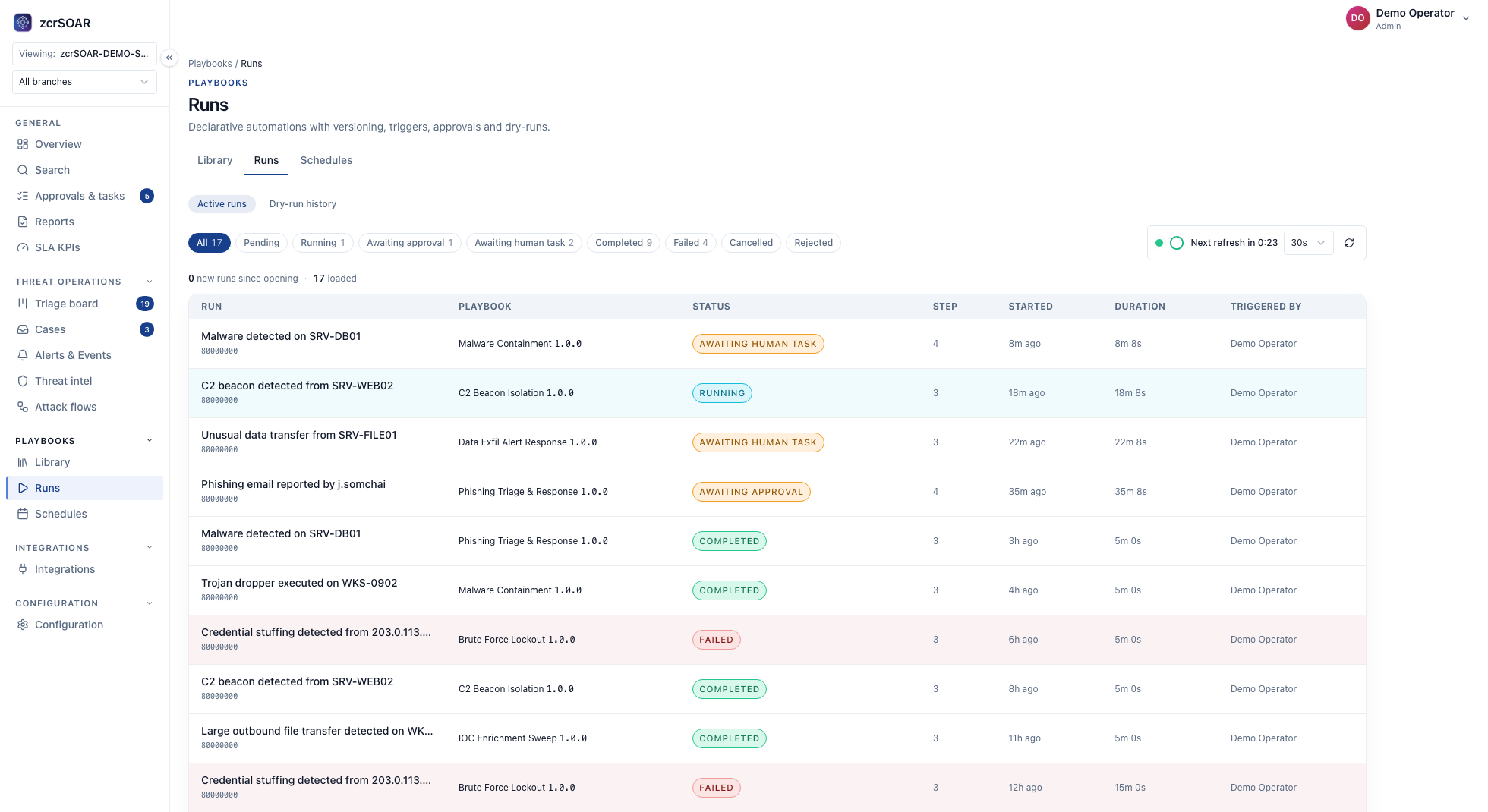
| 6. Action executed | Run record: playbook and version, playbook step, connector, target, gating mode | action, input (parameters), result | Proves what ran matches what was approved |
| 7. Case closed | Closure record: classification, follow-up owners, reports built from the same evidence | output (classification), human decision (closure), result | Closes the trail with the outcome and follow-ups |
The auditor's five questions
If the trail cannot answer one, treat that step as unaudited. Questions 1, 3 and 4 follow AU-3, question 2 is the AI addition, and question 5 combines the AU-3 time element with the AU-9 concern.
| Question | Records that answer it |
|---|
| 1. What triggered this, and what did the team see? | Steps 1 and 3 |
| 2. What did the AI contribute, and which version produced it? | Step 4 |
| 3. Who decided, in what role, on which proposal? | Steps 4 and 5 |
| 4. What was done, to which target, with what outcome? | Step 6 |
| 5. Can the order be rebuilt, and was any record altered or lost? | Steps 2 and 7, every timestamp, storage protections |
Documented, recommended, and yours to configure
Documented in zcr
- zcrSOAR records timestamp, user, action, incident, playbook, connector, input, result and execution status. It offers audit reports and a dashboard that drills down to incidents, playbook executions, approval records and evidence. Each playbook step is set to Autonomous, Approval or Blocked. Its documented version history covers playbooks.
- zcrCTEM, an attack-surface and exposure product, records every AI answer and draft in its own audit trail with the template and version behind it.
- zcrSIEM keeps notes, evidence and status history with the case, turns questions into reviewable queries, and offers MFA, RBAC and an audit trail. Approval queues and automated response belong to zcrSOAR; zcrSIEM does not include SOAR.
- zcrLog retains traffic data with integrity checks and AES-128 encryption. Its audit records cover sign-in, access and system changes (the platform, not incidents).
Recommended pattern
Give every record the case ID, step number and a UTC timestamp. Point to inputs rather than copying them, but freeze a copy of any evidence whose source expires before the case does. Choose one system of record for the case, and sync clocks. Keep AI output verbatim with its template and model version (in zcrSIEM, in the analyst note), and save edits as new versions. Each quarter, run a replay drill: someone outside the SOC rebuilds one closed case from the records alone.
Customer configuration
You configure retention that covers your audit look-back, approver roles and routing, and per-step gating (tried first in Draft, Test, Dry-run or Simulation Mode), and you check that run records carry the step 6 fields.
Where the trail breaks, and when to escalate
A complete trail shows the process was followed, not that the model was right; have a person sample AI outputs against analyst findings. Where it can break:
- AI output not kept, or edited in place. Step 4 cannot be proven; stop relying on that output.
- Approval later than execution. By design if the playbook step was Autonomous; a control failure if it was Approval or Blocked, so find out how it ran.
- Retention shorter than the audit window, or clocks that disagree. The raw events are gone by audit day, or the order cannot be rebuilt.
- Audit data that administrators can delete, or that exposes personal data. AU-9 asks for protection from unauthorised modification and deletion; the AU-3 discussion warns that recorded inputs can expose personal data. Recommended: separate duties.
Escalate to the compliance owner, and move the affected playbook steps to Approval or Blocked, if a replay drill fails, an action lacks an approval, an AI output is missing, or storage cannot show records were unaltered.
Frequently asked questions
Can an AI summary serve as the incident record?
Not on its own. The record is the source events, queries and decisions; attach the summary with its template, model version and cited events.
Does the audit trail have to sit on write-once storage?
Only if your standard or auditor requires it. NIST AU-9(1) asks for hardware-enforced write-once media, not merely write-protected media. If you need write-once, confirm what your platform and deployment model provide, and export copies to storage that meets it.
How long should AI records be kept?
As a recommended pattern, at least as long as the incident record they explain and your audit cycle. zcrLog is documented at 90 days to 2 years and zcrSIEM keeps historical logs for at least 90 days, but those are log-retention figures. AI outputs stored in cases or tickets follow the retention set there.
Sources
Continue: AI agents during ransomware response, Human-in-the-Loop SOC, the AI SOC Agent guide and how agentic automation works in SOAR.
Explore zcrSIEM · Compare pricing · Contact zcr
If you'd rather talk through your own environment, here's how to reach us.
