Exposed RDP and VPN — The Door Ransomware Walks Through Most Often
Ransomware doesn't always start with a phishing email. Exposed RDP and unpatched VPN gateways are just as common a way in — here's how to find yours first.
Exposed RDP and VPN — The Door Ransomware Walks Through Most Often
When ransomware comes up, almost everyone pictures a phishing email first. Someone clicks the wrong link and the whole place falls over.
Read enough real incident-response reports, though, and another route shows up about as often — in some years more often — and it doesn't require anyone to click anything at all. It's remote access left facing the internet: RDP sitting on port 3389, a VPN gateway that never got patched, a device management console that somehow ended up reachable from outside.
Nobody on the team decided to leave any of that open. It just gradually became that way.
Why this route is such good value for an attacker
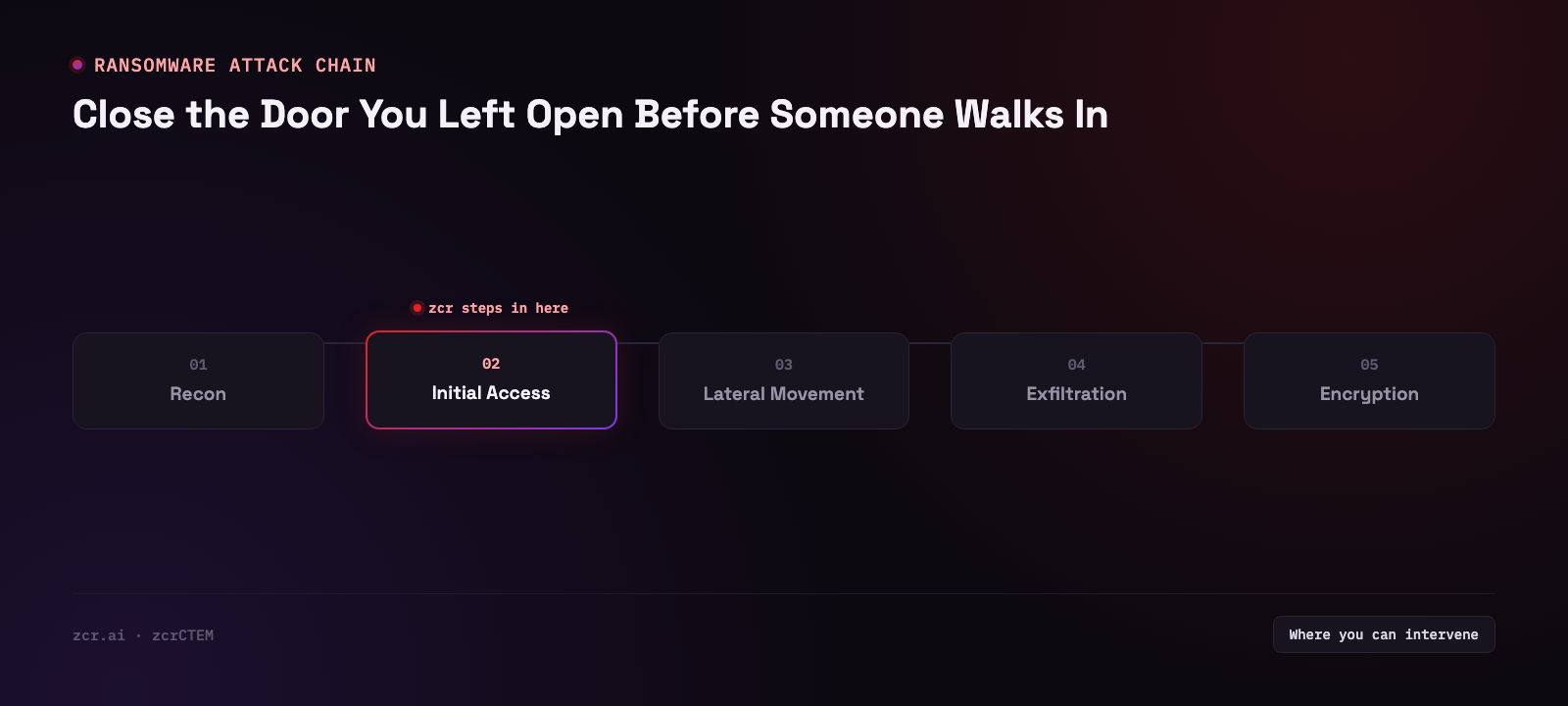
Look at it from the attacker's side for a second. Phishing means writing something convincing, getting it past a mail gateway, waiting for a human to click, and then still having to evade EDR on the endpoint.
Now compare that with trying an exposed RDP service using a password that leaked somewhere else entirely. If it works, they're in as a real user, with a real session, and there is no malware to detect at that first step. To everything watching, an admin just logged in like any other day.
So where do those passwords come from? Mostly not random guessing. They come from credentials that already leaked — batches resold on criminal markets, infostealer output pulled off an employee's home laptop. None of which has anything to do with how strong the corporate firewall is. (We wrote about that side of it separately in dark web monitoring.)
VPN gateways hurt worse. Critical vulnerabilities in the big-name VPN appliances have repeatedly gone from advisory to real-world exploitation within days, and these boxes have to face the internet by definition — that's their whole job. You can't hide them.
The real problem isn't "we knew and didn't close it" — it's "we didn't know it was open"
Practically every IT team already knows you shouldn't expose RDP straight to the internet. Nobody argues about that part.
But ask a different question — "how many public IPs does your organization have right now, and what's listening on them?" — and the answer is usually a spreadsheet that was last updated two years ago.
The exposures that slip through tend to trace back to the same handful of origins:
| Where it comes from | How it happens | Why nobody sees it |
|---|
| A temporary firewall rule | Opened at 3 a.m. so a vendor could fix something urgent | Nobody went back to close it, because nobody wrote down that it was opened |
| A cloud instance spun up for testing | A dev team creates a VM and leaves RDP on for easy access | Different account, different team — never touches IT's asset inventory |
| Kit that was never decommissioned | An old server whose workload moved elsewhere, but which nobody unplugged | No owner, no patching, still online |
| Systems inherited from an acquisition | A merger brings an IP range along with it | Never scanned, because it was never on the list in the first place |
| Gear installed by a contractor | Cameras or building systems go in with a management port left open | IT didn't install it, so IT doesn't know it exists |
Notice what all five have in common. This is not a knowledge problem, it's a visibility problem — and the party with the more complete inventory of your estate is usually the one scanning the entire internet every day.
That's why external attack surface management isn't just another flavor of vulnerability scanning. It's looking at your own estate from the outside, with the same eyes as the person who'd attack it — which is what the EASM side of zcrCTEM is for — what turns up lands in a standing queue, stamped with the date it was found, rather than in a snapshot someone assembles once a year.
What it actually looks like in use
zcrCTEM's Findings page (Exposure → Findings) is where what the platform found from the outside gets triaged. The demo runs on sample data, so none of its rows or counts are quoted here; what matters is what the page holds.
What's on that screen:
- Tabs and filters. The tabs split the list into All items, Findings, Exposures and Darkweb, and a second row narrows it to vulnerabilities, certificates or open ports.
- The table itself, with columns for Finding name, Score, Confidence, Source, Category, Severity, Status and Detected, then an Action button and a Mobilize action column that shows whether a ticket exists. Each row is one finding: what was found, which source found it, how it scores and how severe it is, where it stands (Detected, Triaged, Acknowledged and so on), and when it was detected. The Action button changes with the status: Triage, Acknowledge, Resolve or Accept.
- RDP as a category of its own. Exposed RDP shows up as a finding category (rdp.exposed) alongside the other kinds of finding.
- The left navigation sits the page beside Assets, Groups, Scope & Discovery, Sync Health and Coverage & Gaps, so what turns up from outside doesn't dead-end on this one screen.
Being straight about what that screen does and doesn't prove: the demo runs on sample data, so what it confirms is that the platform classifies exposed RDP as a finding type, not that it has caught a real exposed RDP service.
The pattern matters more than any individual row anyway. What gets found from outside isn't dumped into a PDF for someone to chase down later. It lands in a queue with a status, a severity, a detection date and a button that forces a decision: fix this one, accept the risk on that one, raise a ticket for the third. The gap between "we know there's an exposure" and "the exposure is actually closed" lives right there — not in the scanner. (That decide-and-close loop is the whole point of CTEM, which we unpack properly in what CTEM is.)
If you want to see how many of your own assets are visible from the internet, the pricing page has the packages.
What EASM can't do — plainly
If EASM is starting to sound like it solves ransomware outright, stop there. It doesn't.
It can't tell you how strong the lock behind the door is. Scanning from outside sees that a port is open and what service answers, but it won't try to log in to find out (and shouldn't). RDP exposed with MFA in front of it and RDP exposed with nothing can look similar from the outside.
It can't see internal-only RDP, which is exactly what ransomware uses to move laterally once it's already inside. That job belongs to logs and SIEM, not to external scanning — if catching the after-they're-in part is what you're worried about, read detecting ransomware with SIEM next.
It doesn't close the port for you. EASM discovers and prioritizes; someone still has to make the change on the actual firewall. What the platform buys you is that the thing needing a change doesn't quietly get lost on the way there.
And it doesn't see everything on day one. External discovery works outward in layers — domains, then subdomains, then IP ranges, then certificates — so the first pass gives you a rough picture and the completeness comes from the ones after it. Anyone claiming 100% coverage on day one is worth a raised eyebrow.
Signs this is about you
- You can't say off the top of your head how many public IPs and subdomains the organization has
- You've opened a rule to let a vendor in temporarily, with no process that forces it closed again
- Your developers can create cloud resources without IT being involved
- You've merged with or absorbed systems from another company in the last two years
- Nobody can say when the VPN or firewall appliance you're running was last patched
If two or more of those land, the highest-return job this week isn't buying another protective tool. It's building the list of what of yours is currently visible from the internet — we cover the groundwork for that in what external attack surface is.
The short version
Ransomware doesn't need anything clever if there's a door standing open. And doors like that usually aren't the result of one careless moment — they're the accumulation of a lot of small changes that nobody ever collected in one place.
Which means the fix isn't reminding staff to be more careful. It's having a list that keeps itself current about what's exposed right now — and a queue that makes each item get decided on, rather than just recorded.
Get in touch
Curious what's currently facing the internet that your team doesn't know about? Talk to us — the consultation is free.
Sources
- CISA — #StopRansomware Guide — confirms exposed, poorly-secured remote services such as RDP are a recurring initial access vector for ransomware actors
- Verizon 2026 Data Breach Investigations Report — found VPN and edge-device exploitation rising sharply, with RDP and VPN remaining leading connection types resold by initial access brokers