Automatically Containing a Ransomware-Infected Host — With a Human Approval Gate
Should SOAR isolate a ransomware-infected host on its own? A practical line between reversible and hard-to-reverse actions, plus what an approval gate needs.
Automatically Containing a Ransomware-Infected Host — With a Human Approval Gate
2:30 AM. An alert fires: a machine in the finance department is overwriting files at an abnormal rate, its shadow copies just disappeared, and it's reaching out to an IP address it has never talked to before. Every minute that passes is more files encrypted.
There's really only one question. Should the system cut that machine off the network by itself, without waiting for anyone?
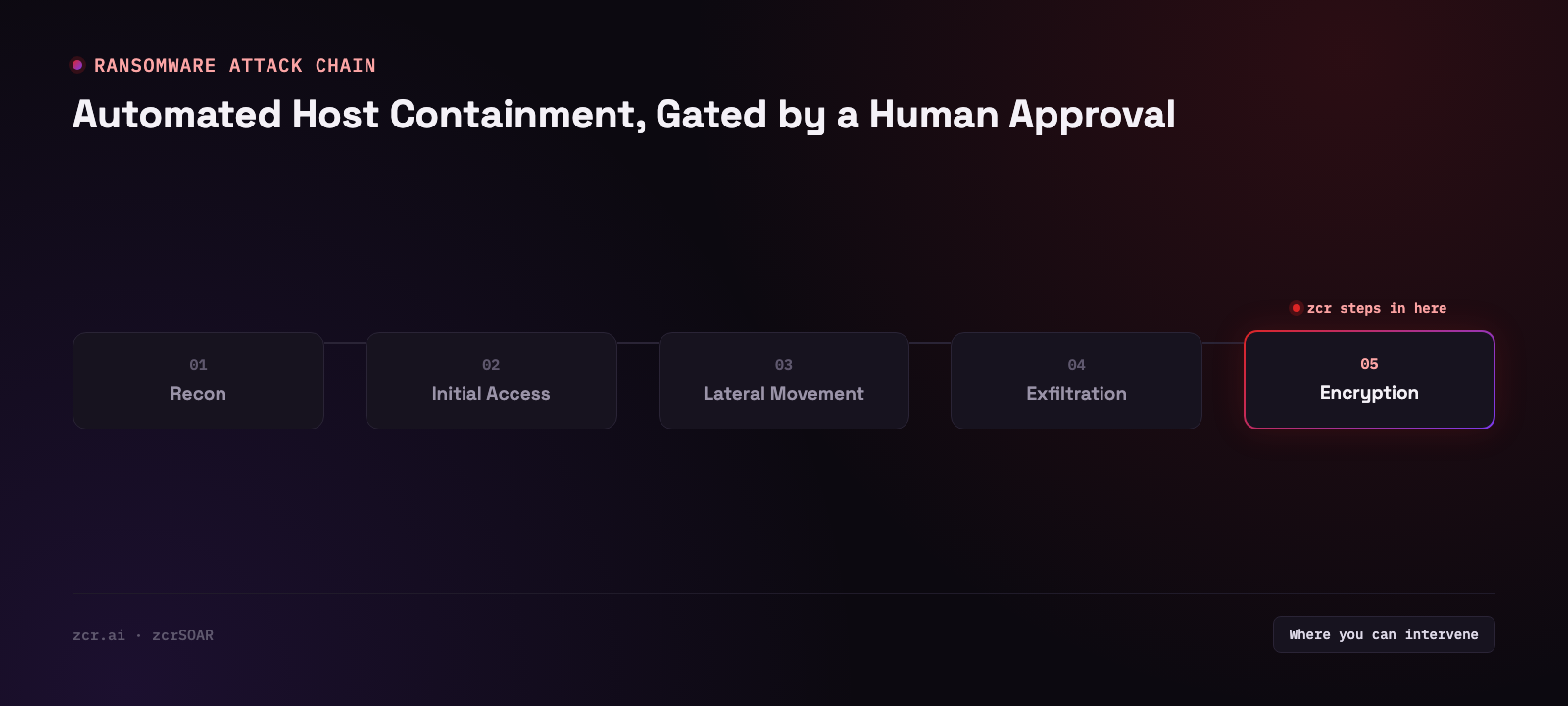
Both camps have a point
The "just isolate it, don't ask" camp isn't wrong. Modern ransomware can encrypt a whole endpoint in minutes. Waiting for someone to wake up and click a button at 3 AM hands the attacker free time. And if that host has access to a shared file server, what you stand to lose isn't one machine.
The hesitant camp has a point too — one nobody talks about much until it happens to them.
Isolating a host is not an action you get to try and quietly undo. If the machine you cut off is the one running month-end close, or the jump host the plant team uses to reach the control system, the downtime that follows is downtime you caused, not the attacker. And the next morning, someone on the business side will ask who authorized that.
In plenty of Thai organizations this lands harder than it should, because the asset inventory is incomplete. The hostname in the EDR console doesn't match what the IT team actually calls the box. So when it matters, nobody can say with confidence whose machine that hostname is, or what it's in the middle of.
A line that actually holds: reversible vs. hard to reverse
Instead of arguing "automated" against "manual," change the question. If this action turns out to be wrong, how easy is it to undo?
Reversible — automate it end to end. Pull the process tree. Check hashes against the IOC list you already maintain. Look at who the host has been talking to. Gather the related logs into the case. Tag severity. Post to the team channel. All of that is reading and assembling. Get it wrong and you've burned some CPU; nobody is worse off — and it's exactly the work a human does many times slower than a machine.
Hard to reverse — put a person in front of it. Cutting the host off the network, disabling the AD account, blocking an IP at the edge, killing a running process. Those four touch real people and real work, and some of them don't come back cleanly just because you changed your mind.
How you actually build that as a graph — Action nodes running on their own, Approval nodes pausing the run — is covered in agentic automation in SOAR, so this post won't rebuild that argument. What's worth talking about here is what happens after the request has been raised.
Put differently: let automation run all the way to the door, prepare everything so the decision is one click, then stop and wait. Whoever arrives shouldn't have to start investigating from zero — they read what the system already assembled and decide. And that door has to be a real one, recording who asked, what level of authority the request needs, and how long it's been sitting. That's the part zcrSOAR puts on screen rather than leaving as a verbal agreement.
The difference between the two designs is how long a human spends deciding, not how many actions run automatically. If your analyst opens the case and still needs twenty more minutes of digging before they dare click anything, your automation stopped too early, not too late.
What an approval gate looks like once it's in someone's hands
zcrSOAR's Approvals & tasks page collects everything waiting on a person under separate tabs: case approvals, playbook steps, revision sign-offs, response actions and human tasks. The Case approvals tab lists each pending case-level approval as a card. The demo runs on sample data, so none of its values are quoted here; what matters is what one card carries. Read one closely:
- A case title and ID, and a TRANSITION label showing which state change is being requested, such as CONTAINED → CLOSED
- A line of text saying why the request was raised, for example that closure is requested after containment was confirmed
- Who requested it (
requested by), how long it has been waiting, the SLA time, and the role the request needs (REQUIRED: OPERATOR or REQUIRED: ADMIN)
- A Reject button beside Approve on the same card — declining is an ordinary option, not something you have to go find
- A line above the list stating whether the person looking at the queue can decide the approvals in it
Cards for different kinds of cases can need different roles and still queue up in the same place, so this gate isn't ransomware-specific. Where the rule that assigns those levels is configured, this screen doesn't show.
Four details on one card answer the questions security teams usually can't answer when an auditor asks:
- Who asked —
requested by identifies the requester, not "the system did it"
- What authority the request needs — the required role (
REQUIRED: OPERATOR, REQUIRED: ADMIN) is recorded on the request itself. What the person looking at the queue can act on is a separate line above the list. Precisely: the card records the requirement, and the system resolves the current viewer's authority against it
- How long it's been sitting —
waiting is right there on screen, no log-digging required
- How much time is left — the SLA figure is the time remaining before the SLA is breached, not time already spent, so it gets smaller the longer a request sits
Points 3 and 4 are where most approval processes fail quietly. Not because there's no gate, but because the gate becomes a place work piles up without anyone knowing it's piling up. If you've ever seen an approval request sit in someone's inbox for three days with nobody chasing it, you know the shape of this.
Being straight about what this screen doesn't show
The tab labels itself, right under the heading, as "Case-level state-transition approvals — distinct from playbook-step approvals." These are approvals for a change in case state — for example closing a case after containment was already confirmed — not a request to approve the isolate at the moment it mattered.
The gate on the action itself is a different kind of approval, and it has its own tab. Playbook steps presents it as a human decision gate on a paused automation: approving resumes the paused run, rejecting terminates it, and the page tells the reader to decide only after verifying the evidence. This article doesn't go into that tab, so there's nothing more to say here about how those requests are routed or who is allowed to decide them.
And one more thing this screen can't tell you: what happens when the SLA runs out. Escalate to the next person? Sit there? Auto-approve? Not answerable from this view. Anyone taking this into production should ask before signing anything, because that behavior is the whole difference between a gate that's safe and a gate that just makes everything slower.
Signs this applies to your organization
- You have EDR that can isolate a host, but nobody will turn on the automatic mode, because of what happens if it picks the wrong machine
- You've had an incident where containment was slow because you were waiting for someone with the authority to wake up
- You can't say who approved the last containment you performed, or at what time
- Approval requests live in a LINE group or an inbox, not in a system that records identity and timestamp
- There's a set of hosts that "must never be cut off," but that rule lives in people's heads, not in a system
Two or more of those, and your problem isn't a shortage of automation. It's that the decision has no permanent home.
Three approaches, honestly compared
| Approach | Fits | What it costs you |
|---|
| Fully automatic | Organizations with an accurate asset inventory that know exactly which hosts are safe to cut | One wrong isolation is enough for the business to order all automatic containment switched off |
| Automatic up to a gate, human clicks | Most organizations — small team, but systems that can't afford a mistake | You still pay the human decision time, and someone genuinely has to be on the other end |
| Fully manual | Organizations just starting out, nothing integrated yet | Slowest, and it usually leaves no record of who did what when |
None of these is right for everyone. But the middle one tends to be the least damaging place to start if your reasoning turns out to be wrong — the zcrSOAR plans are a reasonable way to sanity-check whether your team size justifies building this workflow at all.
Related reading
Before cases can pile up in an approval queue, you have to detect them in the first place — detecting ransomware with SIEM covers which signals are worth catching. If you want to see how a single case gets assembled from smaller events, read reading an attack flow with MITRE ATT&CK. And if you're still unsure where SOAR ends and SIEM begins, start with what SOAR actually is.
Get in touch
Want a second opinion on where your containment workflow should be automatic and where a person should click? Talk to our team — the consultation is free.
Sources
- Splunk SURGe — Gone in 52 Seconds…and 42 Minutes: A Comparative Analysis of Ransomware Encryption Speed — tested 10 real ransomware families; the fastest sample (LockBit) encrypted nearly 100,000 files in 4 minutes 9 seconds, confirming this article's "can encrypt in minutes" framing
- MITRE ATT&CK — T1490 Inhibit System Recovery — the technique behind the shadow-copy deletion mentioned in the opening scenario