How to Read an Attack Flow to See a Full Ransomware Attack in One View
A single alert only shows one moment. An attack flow strings related alerts into one storyline, mapped to MITRE ATT&CK, shown with a ransomware example.
How to Read an Attack Flow to See a Full Ransomware Attack in One View
A single alert only tells you what happened at one point. Real attacks are usually a connected sequence of steps — looked at one alert at a time, you never see where the attacker got in, what they did next, or where they were headed. An attack flow takes the related alerts and strings them into one storyline, so the whole thing shows up in a single view.
This piece walks through an illustrative attack flow built from a ransomware sequence to show what the workflow provides.
An example: a ransomware attack flow
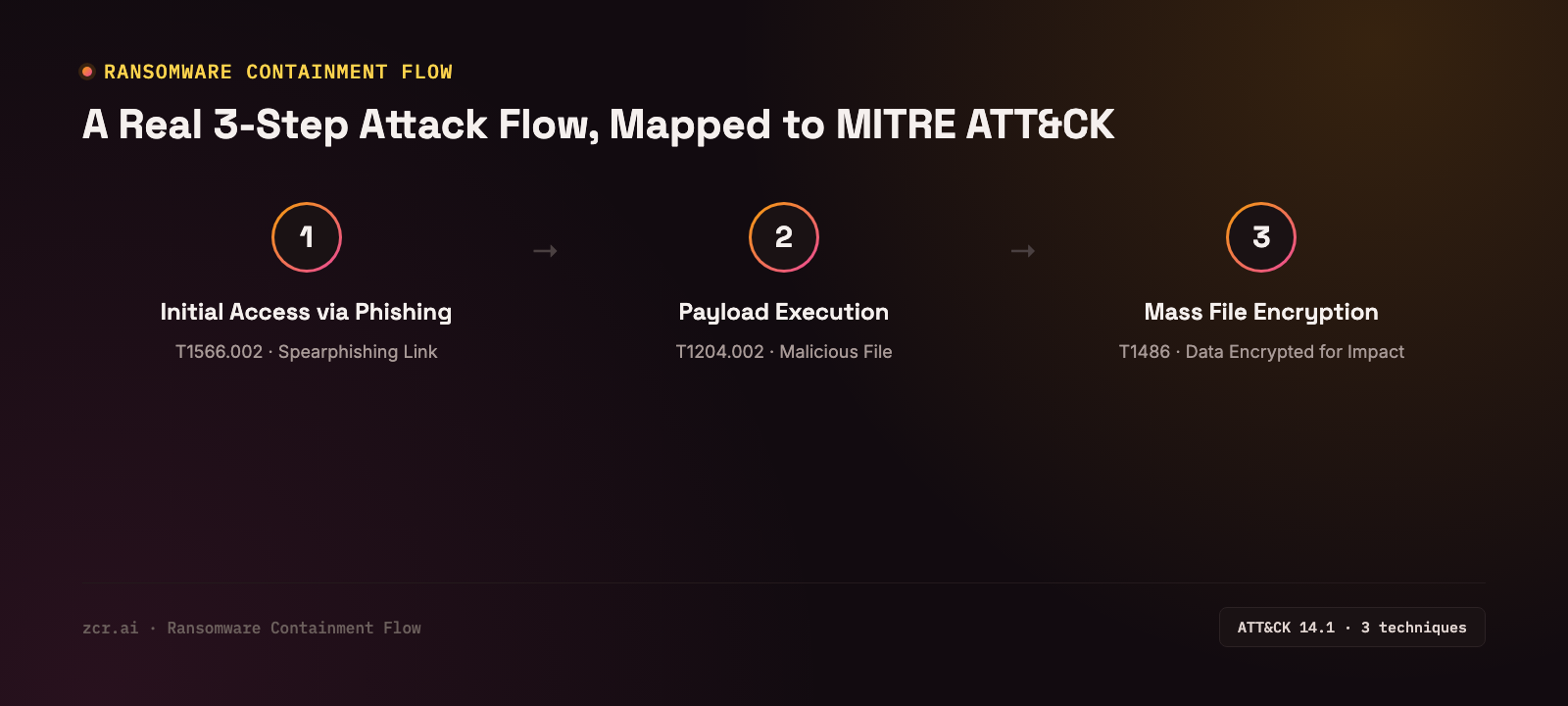
Here's how the attack-flow view in the zcrSOAR demo presents a ransomware case. The demo runs on sample data, so treat the flow below as an example of the shape of a flow, not a customer incident. The system strings the related alerts into one flow in chronological order, here with 3 steps:
1) Initial access via phishing — the starting point of the attack, mapped to MITRE ATT&CK technique T1566.002 (Spearphishing Link), with the supporting evidence attached to the step
2) Payload execution — after gaining access, the attacker ran a malicious program, mapped to technique T1204.002 (User Execution: Malicious File)
3) Mass file encryption — the final step showing the real impact, mapped to technique T1486 (Data Encrypted for Impact) — the ransomware actually executing
All three nodes connect in a straight line on one screen, with the ATT&CK framework version it references named in the flow header. An analyst sees it once and understands immediately where the incident started and where it ended, without reading through each alert one by one.
Why mapping to MITRE ATT&CK matters
Each action here isn't just a free-text description — it's tied to a standardized technique ID from the MITRE ATT&CK framework. That means the team communicates in the same language used across the industry, can cross-reference threat intelligence reports from elsewhere directly, and can immediately see which part of the kill chain still has no detection coverage.
An action's TACTIC field can also read "Unmapped" — a gap the team can come back and fill in later. The system doesn't require 100% mapping before a flow becomes usable.
What an attack flow gets you that single alerts don't
- You see the sequence, not just a pile of entries — what happened before what, not just unordered alerts stacked together
- Easier to communicate to leadership — a 3-step flow diagram explains the whole incident in one screen, better than walking through log entries one at a time
- Pinpoints where detection is actually missing — clearly shows which part of the kill chain still lacks coverage (like a TACTIC still marked Unmapped)
- Useful for comparing similar cases — when a new incident shows a similar pattern, the team can pull up the old flow and respond faster
How zcrSOAR builds flows like this
zcrSOAR automatically builds an attack flow from the related alerts in each case, tagging MITRE ATT&CK techniques along the way. Teams can edit it, "tidy up" the layout, or export it straight into a report. It works together with automated playbooks that respond to each step of the attack shown in the flow.
If you'd rather see the whole attack picture than read through alerts one at a time, check the zcrSOAR pricing.
Get in touch
Curious how much faster a view like this could help your team respond to incidents? Our team offers a free consultation.
Sources