What Is a WAF? How It Differs from a Regular Firewall, and Why Public Websites Need One
A regular firewall checks source, destination, and port, never what's actually inside the request. See why public websites and APIs need a WAF instead.
What Is a WAF? How It Differs from a Regular Firewall, and Why Public Websites Need One
A regular firewall is like a guard at the door checking who's coming in and through which entrance — it looks at source, destination, and port, never at what's actually being carried in. The problem is that websites and APIs keep ports 80/443 open to everyone by design, so a regular firewall waves through every HTTP request that hits the right port, whether it's a real customer or a SQL injection attempt.
A WAF (Web Application Firewall) is the layer that inspects the actual content of each HTTP request before it reaches the real server — like a guard who doesn't just check IDs, but opens the bag to see what's actually inside.
How a WAF differs from a regular firewall
| Regular Firewall | WAF |
|---|
| Operates at | Network layer — IP, port, protocol | Application layer — the actual content of the HTTP request |
| Protects against | Unauthorized network-level access | OWASP Top 10, bots, abnormal request spikes, brute-force |
| Example it can catch | Port scans, IPs outside the allowlist | SQL injection, credential stuffing, path traversal |
| Sits at | The network boundary | In front of the website/API, before origin |
In short: a firewall decides based on "who's knocking." A WAF decides based on "what they said once they knocked." The two work together, not as substitutes — an organization running only a regular firewall still leaves application-level attacks free to walk right in.
How a WAF filters traffic — 4 steps
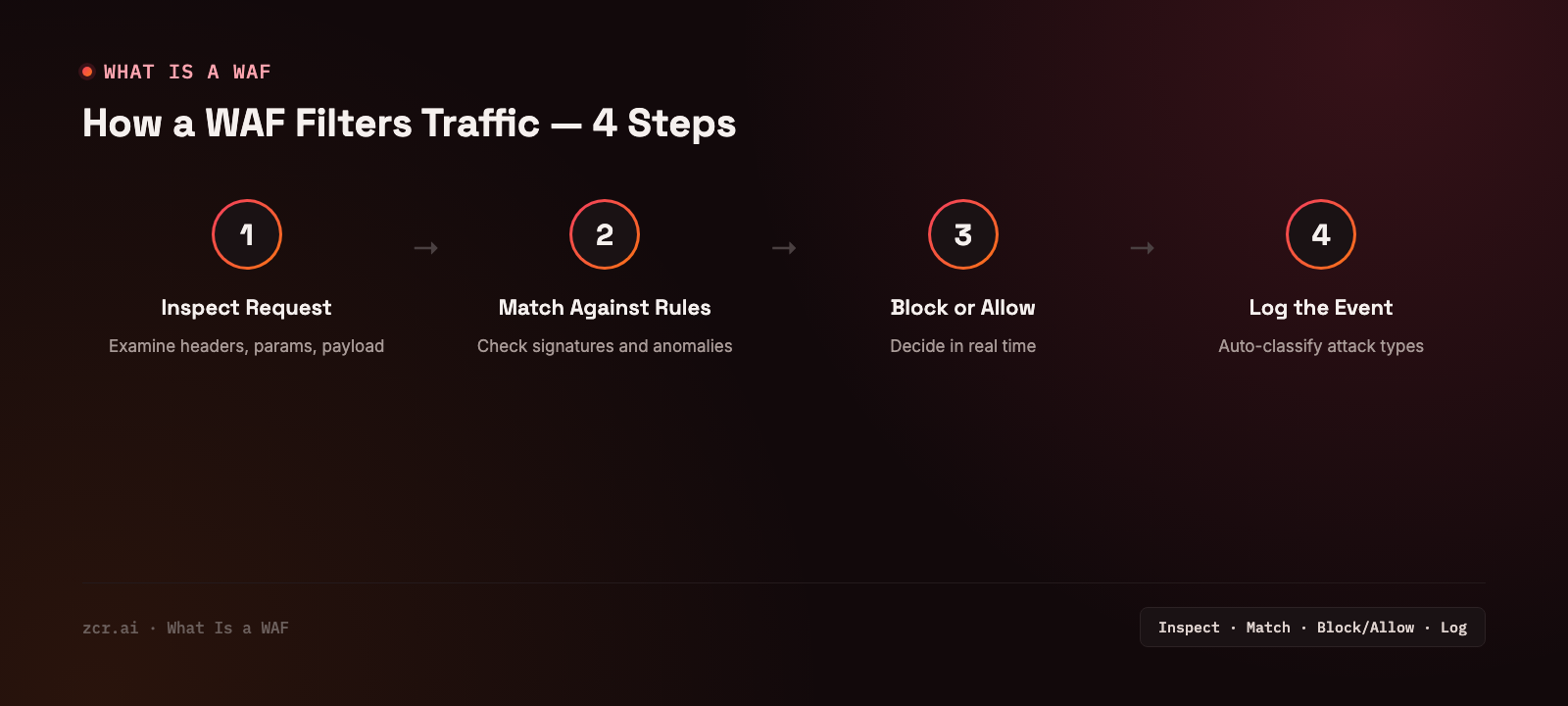
1) Inspect the request — examine the content of each incoming HTTP request, including headers, parameters, and payload
2) Match against rules — check against known signatures (OWASP Top 10, bot patterns) and behavior that deviates from baseline
3) Block or allow — decide in real time whether the request is suspicious enough to block, challenge with CAPTCHA, or let through normally
4) Log the event — record everything for later review, with attack types auto-classified
Why public websites and APIs need a WAF
Public-facing websites and APIs face threats that are hard to tell apart from real users with the naked eye:
- OWASP Top 10 — SQL injection, XSS, broken access control, and the most common web attack patterns
- Bots and automated scripts — scrapers and credential-stuffing bots trying leaked password lists against real accounts
- Abnormal request spikes — from both real attacks and misbehaving client integrations, hard to tell apart without proper tooling
- Path traversal and vulnerability scanning — attempts to reach files or endpoints that shouldn't be accessible from outside
What this looks like on the zcrWAF dashboard
The zcrWAF demo's dashboard tracks this live — a running total of requests seen, allowed, and blocked, a breakdown of top attacking source IPs by country, and a real-time QPS counter, so the team sees what's happening as it happens instead of waiting for a daily summary. The demo runs on the platform's own sample traffic, so treat it as a demonstration of what the dashboard tracks, not a benchmark of what any organization would see.
The key point is the allowed-vs-blocked split itself: even on a low-traffic site, most requests are real users, but whatever gets blocked is exactly what a regular firewall would have waved straight through, because it arrived on the right port.
Signs your organization needs a WAF
- You run a public website or API, especially one with a login form or that collects customer data
- You've seen unexplained traffic spikes, or suspect bots are trying passwords against your login page
- Your dev team can't patch every vulnerability in time and needs an extra layer of protection while the real fix is in progress
- You're in an industry where customer data sits behind a web form (e-commerce, finance) — a leak through a web vulnerability hits PDPA obligations directly
- You have no way to distinguish real user traffic from bots or scanners probing for weaknesses
If two or three of those sound familiar, zcrWAF is built specifically for this layer.
What zcrWAF covers
zcrWAF screens traffic before it reaches origin, covering:
If you run a public website or API and want to know whether your current traffic already shows signals like these, check the zcrWAF pricing.
Get in touch
Want to know if the website or API you manage has abnormal traffic hiding in it? Our team offers a free consultation.
Sources