Stopping Bots and Layer 7 DDoS with a WAF — How to Set Rate Limits That Actually Work
Layer 7 DDoS mimics real users instead of flooding your network, so it slips past network firewalls. Here's how to set WAF rate limits that actually work.
Stopping Bots and Layer 7 DDoS with a WAF — How to Set Rate Limits That Actually Work
Most people picture DDoS as a flood of traffic that knocks the whole network offline. There's a quieter, harder-to-catch version — Layer 7 DDoS sends HTTP requests that look completely legitimate, exactly like a real user browsing, just far more frequently than the system can actually handle, or aimed at trying passwords against a large number of accounts. Because it mimics normal traffic, a network-level firewall never sees anything wrong.
Rate limiting in a WAF is the answer — capping how many requests a single IP can make in a given window. Set it wrong, though, and you block real users right along with the bad traffic. This piece covers how to tune it correctly.
Why Layer 7 DDoS is harder to catch
Network-layer DDoS (L3/L4) floods bandwidth with sheer volume — easy to spot because the traffic volume itself is abnormal. Layer 7 DDoS sends normal-looking HTTP requests, just far more frequently than usual, or targeted at resource-heavy endpoints like search or login pages that hit the database on every request — straining the server without total traffic volume ever looking unusual.
Common patterns:
- Credential stuffing — repeated login attempts using email/password combos leaked elsewhere
- Scraping — bots repeatedly pulling product prices or content at scale
- Application-layer flooding — requests aimed at a specific endpoint that consumes more CPU/database load than normal
3 rate-limiting layers working together
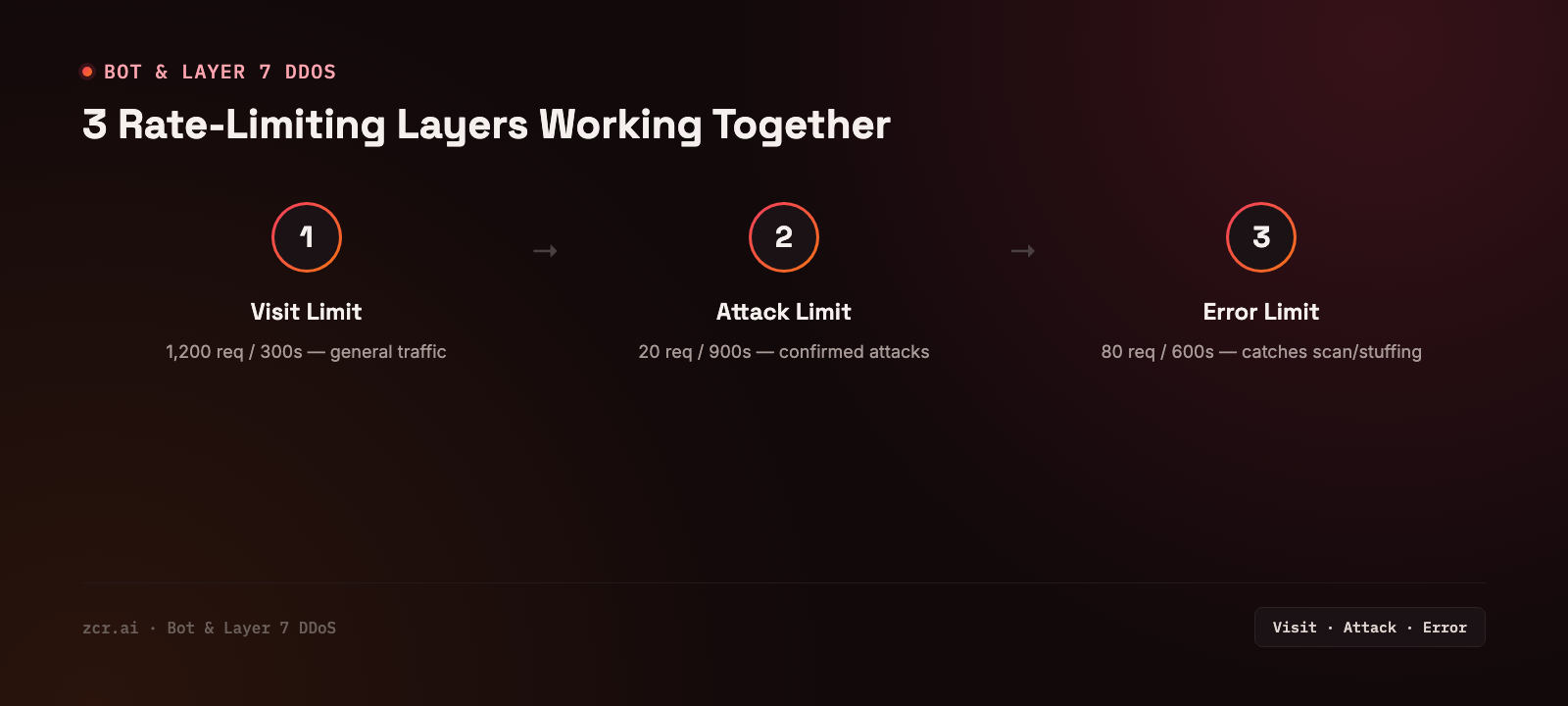
Settings as configured on the zcrWAF demo's Rate Limiting screen:
1) Visit Limit — caps total requests from a single IP in a given window. In the demo, the Trigger Threshold is 1,200 requests and the Block Duration is 300 seconds: an IP that crosses the threshold is blocked for that long. The window the requests are counted over sits behind Show Advanced Options. Used against scraping and general high-frequency traffic.
2) Attack Limit — caps only requests the system has already flagged as attack patterns. In the demo, the Trigger Threshold is 20 requests and the Block Duration is 900 seconds (15 minutes) — set far stricter than Visit Limit, because this traffic is already confirmed suspicious, not just generic volume.
3) Error Limit — caps how many error responses (401, 403, 404) a single IP can rack up. In the demo, the Trigger Threshold is 80 and the Block Duration is 600 seconds (10 minutes) — used to catch credential stuffing and endpoint scanning, since an IP racking up repeated errors in a short window is rarely a real user who just mistyped something.
The three work in parallel — Visit Limit catches general heavy traffic, Attack Limit catches already-confirmed attacks, Error Limit catches trial-and-error probing. The numbers above are the demo's own settings, not a recommendation for your site.
How to tune it without blocking real users
- Start with a high threshold and tighten from there — watch real traffic patterns for 1-2 weeks first, then set thresholds meaningfully above your real users' baseline instead of guessing a number upfront
- Set different thresholds per endpoint — login and search pages need tighter thresholds than a general product page, since they're the main target of credential stuffing and scraping
- Use CAPTCHA instead of an outright block for borderline traffic — for traffic that's suspicious but not clearly malicious, a CAPTCHA challenge filters out bots without instantly cutting off real users
- Cross-check Error Limit against real logs — if it's blocking real users too often, that might signal a UX issue causing people to hit errors a lot, not purely a security problem
Why this matters for PDPA
A successful credential-stuffing attack means someone accessed a user account without authorization, which can expose the personal data tied to that account. If that leads to a real data leak, the organization is obligated to report it under PDPA. Well-tuned rate limiting is a layer that reduces the odds of that happening in the first place.
How zcrWAF handles this
zcrWAF ships with all three rate-limiting layers above, configurable per site, plus CAPTCHA challenges for traffic that's suspicious but not yet clearly malicious — working alongside OWASP Top 10 detection in the same platform.
If you want to know how much bot traffic or credential stuffing your site is actually facing, check the zcrWAF pricing.
Sources
- Cloudflare — What's an Application Layer DDoS Attack — confirms Layer 7 DDoS mimics normal traffic closely enough to be hard to distinguish, and typically targets specific endpoints like login pages or APIs rather than flooding the whole network, matching the article's description
- OWASP — Credential Stuffing — confirms the definition and mechanics of credential stuffing used in the article
- IAPP — Thailand's PDPC Clarifies Data Breach Notification Requirements — confirms data controllers are obligated to report personal data breaches under Thailand's PDPA
Get in touch
Want to know how much bot traffic or abnormal request activity the website you manage is actually facing? Our team offers a free consultation.